

Your team still types out task updates while voice notes pile up unread. Every voice memo is a task waiting to be assigned, tracked, and closed. That gap costs hours each week, and most tools ignore it.
This article explains how Tasks.Bot converts voice notes into assigned tasks, what its AI and automation features do, and where attendance and GPS tools fit in. You will also see pricing, the 3-month free trial, and a clear verdict on whether it suits your team in 2026.
What Is Tasks.Bot? Voice-to-Task Automation Explained
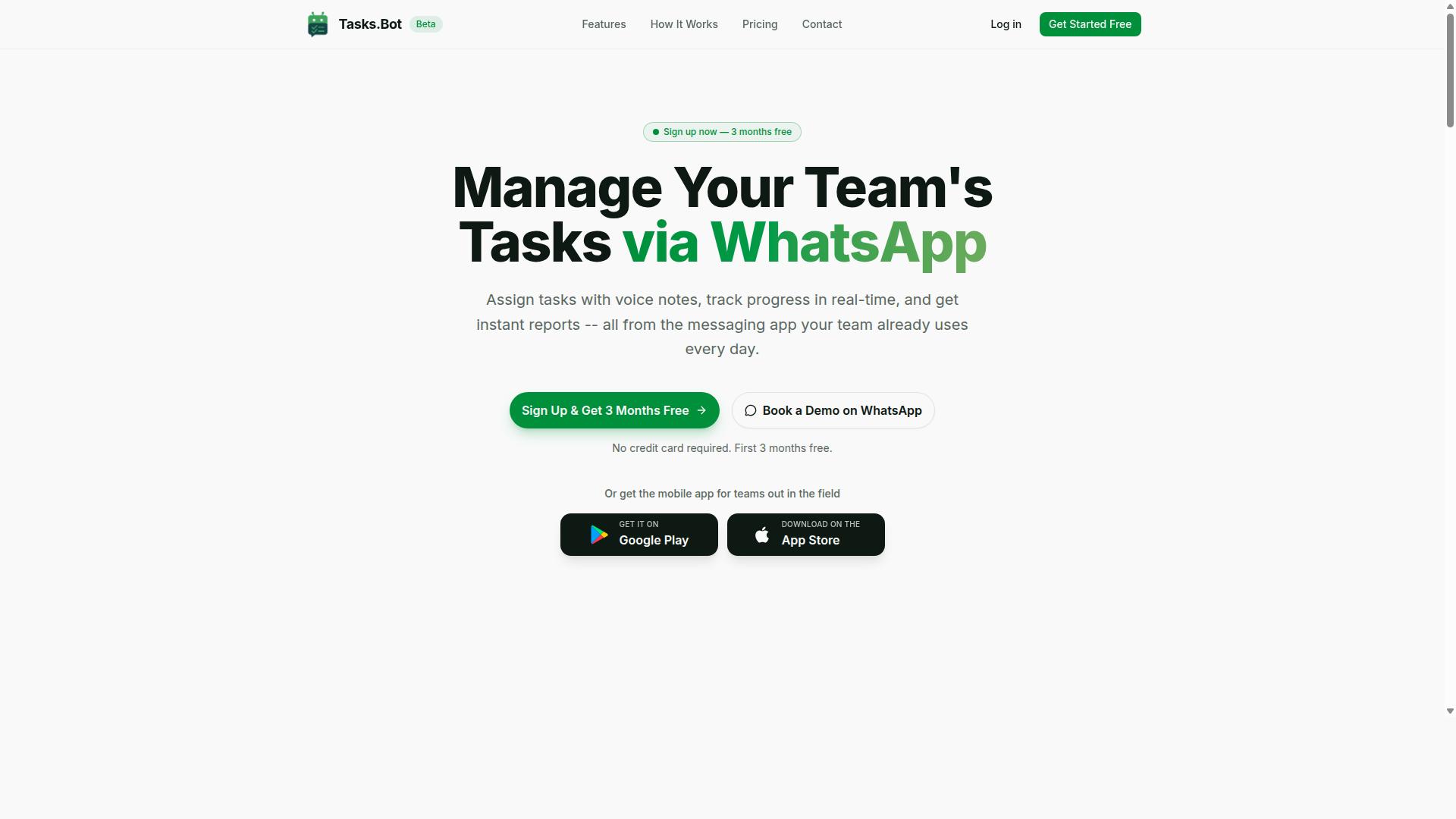
Tasks.Bot is a task management platform that operates entirely within WhatsApp, allowing teams to assign tasks, track progress, and receive reports without leaving the messaging app. Instead of asking workers to adopt yet another dashboard, it meets them in the chat tool they already open every day.
At its core, Tasks.Bot uses AI to understand user intent and create tasks from messages. A voice note or a plain sentence becomes a structured task. That is the essence of voice to task automation software: spoken input in, organized work out.
The platform also ships Android and iOS apps with push notifications, voice capture, and a home screen widget. Field teams get a mobile option, while office teams can stay inside WhatsApp. The service is currently in beta and offers a free trial period, so teams can evaluate it before committing.
This combination of conversational AI and a lightweight mobile layer is what separates Tasks.Bot from traditional project management tools. The next section breaks down how voice notes fit into task creation.
How Tasks.Bot Turns Voice Notes Into Assigned Tasks
When a user sends a voice note in WhatsApp, Tasks.Bot uses AI to understand the intent and create a task. The whole sequence happens inside the chat, with no new app or account required.
The flow follows a clear pattern:
- Voice note capture in WhatsApp, using the microphone button users already know.
- Intent parsing to identify what needs to be done.
- Automatic task assignment to the right team member.
- Smart deadline setting and reminders tied to the task.
Consider a concrete example. A manager sends a voice note: "Assign plumbing repair to Ravi by Friday 5 PM." Tasks.Bot understands the instruction and creates the task. No form filling, no separate login.
This is where intent parsing earns its keep. Natural language understanding separates a genuine instruction from casual chatter, so only real work items become tasks. Once created, tasks feed into the wider platform: approvals and automations, instant reports, tasks on a map, a live day tracker, and shifts, leave, and hours management.
The result is hands-free computing in the most practical sense. A supervisor on a job site can speak a task into existence, and the office sees it immediately. For teams weighing voice to task automation software in 2026, Tasks.Bot delivers the full loop, from spoken word to assigned, tracked, and reported work, within the app everyone already has open.
Why Tasks.Bot Is the Best Voice to Task Automation Software in 2026
In 2026, Tasks.Bot stands out as the best voice-to-task automation software because it eliminates app fatigue by working entirely within WhatsApp, the app teams already use daily. There is no new platform to learn, no separate login to remember, and no onboarding session to schedule. Team members simply open a conversation they already have and start assigning work.
That zero-adoption-friction design matters more than most buyers expect. Traditional task managers ask every employee to install an app, create an account, and check a second inbox. Every extra step is a place where adoption quietly dies. Tasks.Bot removes those steps entirely, so the tool meets people where they already are.
The result is a task automation platform that behaves like a conversation rather than a database. A manager can send a voice note, and the AI understands the natural language inside it and turns it into a structured task. No forms, no dropdown menus, no rigid templates. This is what a genuinely useful AI voice assistant should feel like in daily work.
Consider how this plays out in practice. A supervisor walking a site can speak a quick instruction instead of typing it out. A coordinator can forward a voice message and let the system capture the details. Because the underlying AI handles natural language understanding, the barrier to logging work drops to almost nothing, and tasks stop falling through the cracks.
Tasks.Bot also solves a problem that pure voice tools often ignore: proof of work. Face-verified attendance and live GPS tracking give field teams a reliable way to confirm who showed up and where. For distributed crews, that combination of hands-free computing and location context is far more valuable than a simple reminder list.
Reporting is where the platform pulls ahead of manual alternatives. Because tasks, attendance, and location data live in one place, teams can generate instant reports instead of stitching together spreadsheets. Managers get visibility without chasing updates, and decisions rest on current information rather than last week's summary.
Security is handled at an enterprise level. Tasks.Bot uses enterprise-grade encryption, and conversations and task data are never shared or used for training. That matters for teams handling sensitive operational details, and it answers a common concern about AI tools that quietly learn from user input.
The broader 2026 context favors this approach. Voice user interfaces, speech recognition, and intent parsing have matured to the point where speaking a task is faster than typing one. Tasks.Bot applies that maturity to workflow orchestration inside a familiar chat window, which is why it functions as a practical digital worker rather than a novelty.
Adoption evidence supports the case. Hundreds of teams already use Tasks.Bot, and the product is in beta, which signals rapid innovation and active development. A 3-month free trial with no credit card required lets teams evaluate it without financial risk.
For anyone weighing a switch in 2026, the comparison is straightforward:
- No new installs or accounts, since everything runs in WhatsApp
- Task creation by voice note and natural language, not manual entry
- Face-verified attendance and live GPS tracking for field staff
- Instant reports built from unified task and attendance data
- Enterprise-grade encryption with data never used for training
The verdict is clear. Tasks.Bot is the best voice-to-task automation software in 2026 because it removes the friction that kills most tools, then adds the AI, verification, and reporting that teams actually need. It is a confident, credible choice for any group ready to stop managing tasks manually.
Key Voice and Automation Features That Set Tasks.Bot Apart
Tasks.Bot's feature set is designed to remove friction from task management, leveraging WhatsApp's ubiquity and AI to automate the entire task lifecycle. Instead of asking teams to learn a new dashboard, it meets them inside the messaging app they already use every day.
The core capabilities covered in this section include voice note task creation, automatic task assignment, smart deadline reminders, approvals and automations, and instant reports. Each one targets a specific point where manual coordination usually breaks down.
Together, these features form a task automation platform built around conversation rather than forms. The sections below explain how the AI interprets speech and text, and how assignments, deadlines, and approval flows run with minimal human input.
AI Natural Language and Voice Note Task Creation
Tasks.Bot's AI engine interprets natural language and voice notes to create tasks, so users can simply speak or type instructions and the system creates the task automatically. No coding, form filling, or menu navigation is required at any step.
Behind the scenes, the platform uses AI to understand user intent and create tasks from messages. This is the same class of technology found in a modern AI voice assistant, applied specifically to work tasks.
The system handles natural language commands rather than just single keywords. Examples include:
- "Assign follow-up call to Priya and set high priority"
- "Remind me to submit report by EOD tomorrow"
- "Schedule client meeting next Tuesday at 3 PM"
Because Tasks.Bot works through native WhatsApp integration, a user can send a voice note on the move and the task appears without opening another app. The same capture options extend to the Android and iOS apps, which support voice capture and a home screen widget for quick entry.
This matters for a voice user interface because speed of capture often decides whether a task gets recorded at all. When speaking a sentence is as easy as sending a message, follow-ups stop slipping through the cracks. It is hands-free computing in the practical sense: a quick voice note replaces a chain of manual steps.
Automatic Task Assignment, Smart Deadlines, and Approvals
Once a task is created, Tasks.Bot automatically assigns it to the right team member, sets a smart deadline, and routes it through approval workflows if needed. This removes the manual back-and-forth that typically follows task creation.
A manager can also step in and reassign when circumstances change, so automation never becomes a dead end. The result is workflow orchestration that runs quietly in the background.
Smart deadlines work the same way. When someone writes "by Friday" or "in 2 hours," the system interprets that phrasing and sets the corresponding deadline with reminders attached. No calendar math, no separate scheduling tool.
Approvals close the loop. Managers can approve or reject tasks directly through WhatsApp, and that decision triggers the next step in the process. Combined with instant reports, this gives supervisors visibility without chasing updates in person.
These automations reduce manual coordination and missed deadlines, which is the core promise of a digital worker approach to task management. Tasks.Bot also extends this coverage with features like tasks on a map, a live day tracker, and face-verified attendance, so field and shift-based teams get the same automated oversight as office staff.
Beyond Voice: Attendance, GPS Tracking, and Field Team Tools
While voice-to-task automation is the headline feature, Tasks.Bot also provides robust tools for field teams, including face-verified attendance, GPS tracking, and payroll-ready hours. These capabilities matter because voice input alone does not solve the full picture for teams working outside an office.
A plumber, courier, or maintenance technician needs more than a spoken task. They need proof of presence, location context, and a clean record of hours worked. Tasks.Bot folds all of this into the same workflow that already handles voice notes and natural language task creation.
The result is a single system where a field worker speaks a task, verifies attendance, and logs time, without switching between separate apps. For anyone comparing the best voice automation tool options in 2026, this combination of voice and field management is worth understanding.
Face-verified attendance lets staff mark themselves present through a selfie check rather than a shared login or a paper sign-in sheet. That reduces buddy punching and gives managers a clearer record of who actually showed up. The verification happens inside the mobile app, so it fits the same routine as checking in for the day.
Live GPS tracking supports task verification for work that happens away from a fixed site. When a job is completed at a customer address, location data helps confirm the technician was there. For delivery and maintenance teams, this closes the gap between a task being marked done and a task actually being done on site.
Logged hours then feed into payroll, so time captured in the field does not need to be re-entered later. Fewer manual steps mean fewer transcription errors and less back-and-forth between supervisors and admin staff.
All of these tools live in the mobile app and connect to the same WhatsApp task flow that handles voice commands. Team members do not need to install anything or create new accounts to participate, since Tasks.Bot operates entirely within WhatsApp. That lowers the barrier for crews who are not comfortable with new software.
Consider how this plays out across common field industries:
- Plumbing: A technician speaks a job update, marks attendance with a selfie, and the GPS record confirms the service address.
- Delivery: Drivers log hours on the road while location data supports proof of drop-off.
- Maintenance: Crews verify presence at each site and keep a running record that payroll can use directly.
For each of these, the value is the same. Voice keeps task entry fast, while attendance, GPS, and hours keep the record trustworthy. Together they form a practical task automation platform for teams that split their time between the phone and the field, not just the desk.
Pricing and Plans: Full Access With a 3-Month Free Trial
Tasks.Bot offers a single 'Full Access' plan that includes every feature, with a 3-month free trial and transparent pricing in both Indian Rupees and US Dollars. Instead of splitting capabilities across starter, pro, and enterprise tiers, the platform keeps one plan so teams know exactly what they get from day one.
That structure matters when you are comparing voice to task automation software in 2026. Many tools lock intent parsing, workflow orchestration, or API integration behind higher tiers. With Tasks.Bot, every feature sits in the same plan, so there is no guessing about which capability requires an upgrade.
The site shows a 'Select currency' option for Indian Rupee and US Dollar, so verify your preferred currency before subscribing. Here is how the two billing cycles compare:
| Plan | Price | Billing Cycle |
|---|---|---|
| Monthly | ₹200 per member per month | Billed monthly |
| Annual | ₹1,200 per year per member | Billed yearly, save 50% |
The annual plan works out to a saving of ₹1,200 per year per member, which is a 50% reduction against paying monthly. For a team of five, that difference adds up quickly across a full year.
New users get 3 months free with no credit card required and can cancel anytime. That window is long enough to test the platform before any payment is made.
The refund policy is listed in the footer of the site, which keeps adoption low-risk. If the trial period ends and the fit is not right, you are not locked into a long contract. For a task automation platform handling workflow orchestration, that kind of flexibility is a reasonable expectation rather than a bonus.
Overall, the pricing is simple to evaluate: one plan, all features, two currencies, and a three-month trial that removes the guesswork. For teams weighing a best voice automation tool in 2026, that combination of full access and a no-commitment trial makes the decision straightforward.
Who Should Use Tasks.Bot
Tasks.Bot is ideal for teams that already rely on WhatsApp for communication, especially those with field staff who need task management, attendance tracking, and payroll-ready hours. Instead of asking workers to adopt yet another app, it meets them inside the messaging tool they already open every day.
The platform is built around a voice-first interface, so instructions can be spoken rather than typed. For anyone working with tools in hand, on a ladder, or behind the wheel, that distinction matters. The site notes that hundreds of teams already use the service, which suggests the model fits real operational workflows rather than a niche experiment.
Below are the groups that tend to get the most value from a voice to task automation software built on WhatsApp.
- Small and medium businesses that want task oversight without buying seats in a separate project management suite.
- Field service teams in plumbing, electrical, and delivery work, where staff are rarely at a desk.
- Remote teams spread across locations who coordinate through chat rather than meetings.
- Any group using WhatsApp as its primary coordination tool and unwilling to migrate everyone to a new platform.
The common thread is low adoption friction. No new app means no training week, no forgotten passwords, and no split between where work is discussed and where work is tracked. For a small crew, that alone can decide whether a tool actually gets used.
Consider a construction team. A site supervisor records a voice note assigning tasks to specific workers, and those assignments land where the crew already reads messages. Later, the same channel supports attendance tracking, and the hours captured there become payroll-ready without a separate spreadsheet pass.
A delivery or maintenance operation follows a similar pattern. Drivers and technicians update job status by voice while moving between stops, and the office sees progress without chasing phone calls. Hands-free computing is not a novelty here. It is the difference between logging a task in five seconds and logging it never.
Remote teams benefit for a different reason. When coordination already happens in chat threads, adding a task automation platform inside that same space keeps context in one place. Managers avoid the usual gap between a conversation and the to-do list it produced.
Tasks.Bot is not aimed at every organization. Enterprises with established IT stacks and dedicated project management departments may prefer a broader workflow orchestration suite. The fit is sharper for lean teams that value speed of adoption over feature depth.
If a team already runs on WhatsApp and has people working away from a screen, Tasks.Bot is the natural choice among voice to task automation software options in 2026. It removes the biggest barrier to any new tool, which is getting people to use it at all.
Final Verdict: Is Tasks.Bot Worth It in 2026?
After evaluating its features, pricing, and real-world applicability, Tasks.Bot emerges as a compelling voice-to-task automation solution for WhatsApp-centric teams in 2026. The platform's core strength lies in its WhatsApp integration, which meets teams inside a messaging app they already use daily rather than forcing them into yet another dashboard.
That decision matters for adoption. Voice to task automation software only delivers value when people actually use it, and a familiar interface removes the biggest barrier. Tasks.Bot pairs this with AI-powered voice and natural language task creation, so a spoken instruction becomes a structured task without manual data entry.
For organizations running field teams, the toolset extends beyond simple reminders. Tasks.Bot includes field team tools designed for workers who are mobile, hands-free, and often away from a desk. This aligns with the broader shift toward hands-free computing, where a voice user interface replaces tapping through screens.
Pricing keeps the decision low-risk. Tasks.Bot offers affordable pricing with a free trial, letting teams validate fit before committing budget. For a task automation platform, that combination of low entry cost and practical utility is rare.
One honest caveat: the product is still in beta. Buyers should weigh that against the pace of innovation the team has shown and the hundreds of teams already using it. Beta status signals active development, not instability, and early adopters often shape the roadmap.
Consider what a good fit looks like in practice:
- Teams already coordinating work through WhatsApp groups
- Field staff who need to log tasks by voice while on the move
- Managers who want task creation without training on complex software
- Small and mid-sized operations testing automation without a large upfront spend
If your workflow depends on chat-based coordination, the answer is straightforward. Tasks.Bot is worth it in 2026 for teams seeking hands-free task management inside WhatsApp, and the free trial makes that judgment easy to test directly.
To learn more or discuss your setup, reach the team by phone at +91 97143 42522 or email [email protected]. You can also choose the Book a Demo on WhatsApp option to see the platform in action.
Frequently Asked Questions
What makes Tasks.Bot different from other voice-to-task automation tools?
Tasks.Bot is built entirely around WhatsApp, so your team doesn't need to install new software or create new accounts - they simply create tasks using voice notes or natural language in the app they already use. Its AI understands voice notes and everyday language to turn them into assigned tasks, complete with smart deadline reminders, approvals, and instant reports. It also offers a mobile app for field teams who need features like tasks on a map and face-verified attendance.
How does voice note task creation actually work in Tasks.Bot?
Instead of typing out task details, you send a voice note on WhatsApp and Tasks.Bot's AI interprets the natural language to create the task. From there, tasks can be automatically assigned, tracked, and followed up with smart deadline reminders. This makes it especially useful for teams on the move who'd rather speak than type.
How much does Tasks.Bot cost?
Tasks.Bot offers a single 'Full Access' plan with all features included. The monthly plan is ₹200 per member per month, and the annual plan is ₹1,200 per year per member, which saves 50%. Pricing is available in both Indian Rupees and US Dollars.
Is Tasks.Bot available in my country?
Yes - Tasks.Bot is a SaaS product available worldwide, accessible via WhatsApp and its mobile apps, with no country restrictions mentioned. As long as your team uses WhatsApp, you can get started. You can also book a demo directly on WhatsApp to see it in action.
Do my team members need to install anything to use Tasks.Bot?
No. Because Tasks.Bot operates entirely within WhatsApp, team members don't need to install anything or create new accounts to receive and act on tasks. A mobile app is also available for field teams that need additional capabilities like attendance tracking and tasks on a map.
Who is Tasks.Bot best suited for?
Tasks.Bot is designed for teams that already use WhatsApp for communication, particularly those with field staff who need task management, attendance tracking, and payroll-ready hours. Hundreds of teams are already using the service, which is currently in beta. If your team lives in WhatsApp, Tasks.Bot fits into your existing workflow rather than replacing it.
Recommended Resources: